
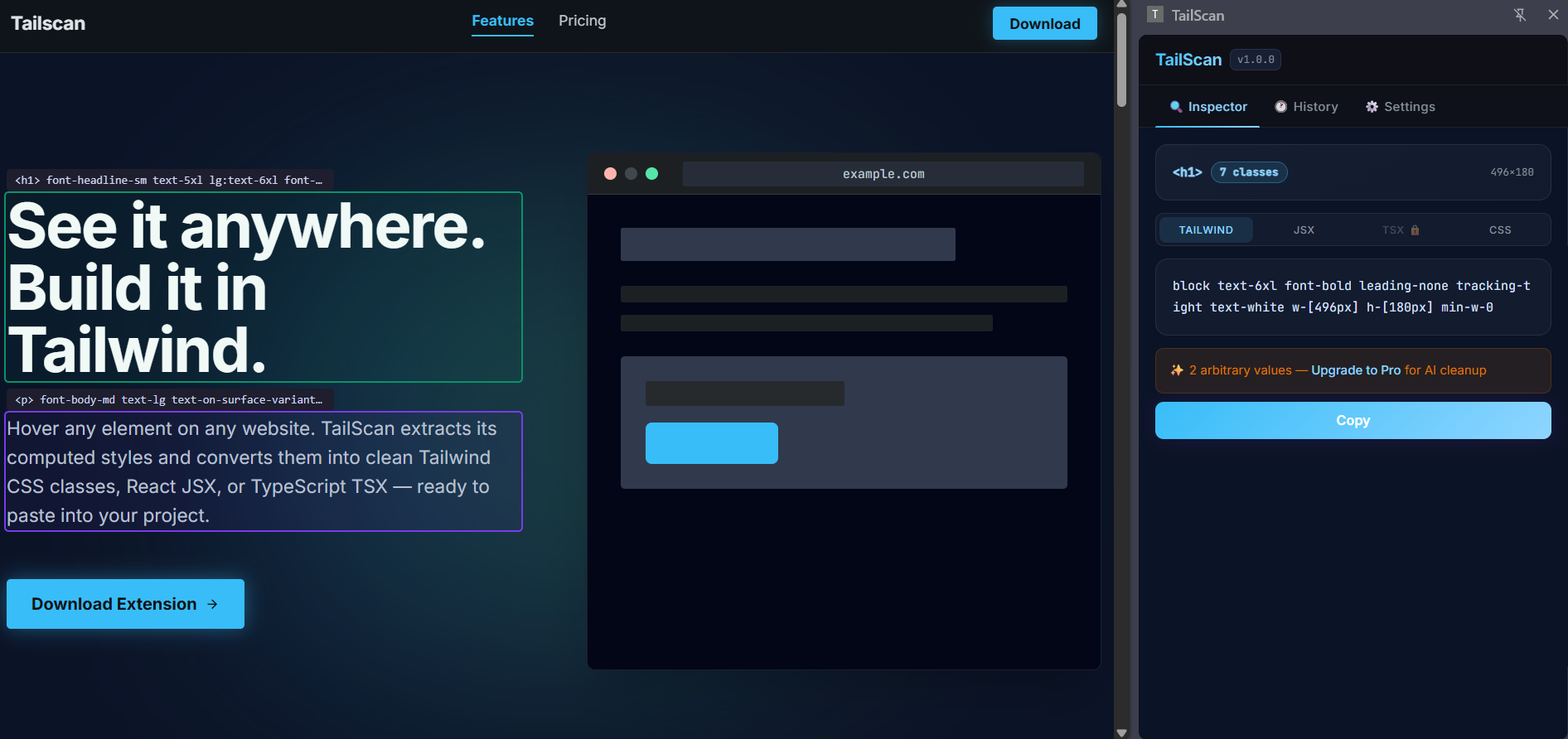
See it anywhere. Build it in Tailwind.
Hover any element on any website. TailScan extracts its computed styles and converts them into clean Tailwind CSS classes, React JSX, or TypeScript TSX — ready to paste into your project.
How it works
Master Tailwind CSS in seconds with our intuitive workflow.
Powerful inspection tools.
Everything you need to master Tailwind CSS in the wild.
power_settings_new
Step 1 — Activate
Press ⌘⇧K or click the toolbar icon. Your cursor becomes a crosshair.
> tailscan: active
ads_click
Step 2 — Click any element
Hover to preview with a colour overlay. Click to lock. Arrow keys navigate parent and child elements.
> element: locked
content_copy
Step 3 — Copy and build
Switch between Tailwind, JSX, TSX, and CSS. Click Copy. Paste directly into your project.
> clipboard: TSX copied
Compare plans
Free vs Pro
| Feature | Free | Pro |
|---|---|---|
| Hover inspect any element | check | check |
| Tailwind class output | raw | AI-cleaned |
| React JSX export | basic | full component |
| TypeScript TSX export | — | check |
| Responsive classes (sm: md: lg:) | — | check |
| Dark mode classes (dark:) | — | check |
| React component name detection | — | check |
| Inspection history | last 10 | unlimited |
| History thumbnails | — | check |
| Custom tailwind.config upload | — | check |
| Element ignore-list | — | check |
| Email support | — | check |
Pricing
Simple, honest pricing
Monthly
Annual (Save 30%)
inventory_2
Free
$0forever
Perfect for exploring basic inspection capabilities.
- checkInspect any element
- checkRaw Tailwind class output
- checkReact JSX (basic)
- checkPlain CSS output
- checkKeyboard shortcut ⌘⇧K
- checkLast 10 inspections
bolt
MOST POPULAR
Pro
$7/ per month
Advanced tools for solo developers and designers.
- checkEverything in Free
- checkAI-cleaned Tailwind output
- checkTypeScript TSX export
- checkResponsive + dark mode classes
- checkReact component name detection
- checkUnlimited history + thumbnails
- checkCustom tailwind.config upload
- checkElement ignore-list
- checkEmail support